OpenClaw原理梳理:模型选择、Skill、Heartbeat

31 March 2026
IMG-THUMBNAIL
结合源码全面梳理OpenClaw运行逻辑,以实际案例论证。

准备工作

  • 对话日志目录:/data/.openclaw/agents/<agent_id>/sessions/<run_id>.jsonl
  • OpenRouter并不支持查看完整上下文,这里建议接入LangSmith库来解决。

模型选择规则

实际案例

"agents": {
    "defaults": {
        "model": {
            "primary": "openrouter/nvidia/nemotron-3-super-120b-a12b:free",
            "fallbacks": ["openrouter/nvidia/llama-nemotron-embed-vl-1b-v2:free"]
        },
        "models": {
            "openrouter/nvidia/nemotron-3-super-120b-a12b:free": {},
            "openrouter/nvidia/llama-nemotron-embed-vl-1b-v2:free": {}
        }
    }
},
"models": {
    "providers": {
        "openrouter": {
            "baseUrl": "https://openrouter.ai/api/v1",
            "apiKey": "${OPENROUTER_API_KEY}",
            "models": [
                {
                    "id": "nvidia/nemotron-3-super-120b-a12b:free",
                    "name": "Nemotron-3 Super 120B",
                    "input": ["text"]
                },
                {
                    "id": "nvidia/nemotron-nano-12b-v2-vl:free",
                    "name": "LLama-Nemotron EmbedEmbedding",
                    "input": ["text", "image"]
                }
            ]
        }
    }
}

选择规则&优先级

  • 当前请求的模型 (动态传入的 provider/model);
  • 单个智能体的 model.fallbacks;
  • 全局 agents.defaults.model.fallbacks;
  • 全局 agents.defaults.model.primary (最后的保障);
  • 全局允许列表:agents.defaults.models 作为模型白名单,仅列表内的模型可被调用;
  • 提供者内部回退:同一模型提供商内的接口 / 认证失败,会先在提供商内部重试,再切换到下一个模型。

SKILL

  • SKILL名称是url链接里的,有很多事重复的,以这个为准,例如https://clawhub.ai/pskoett/self-improving-agent名称是self-improving-agent。
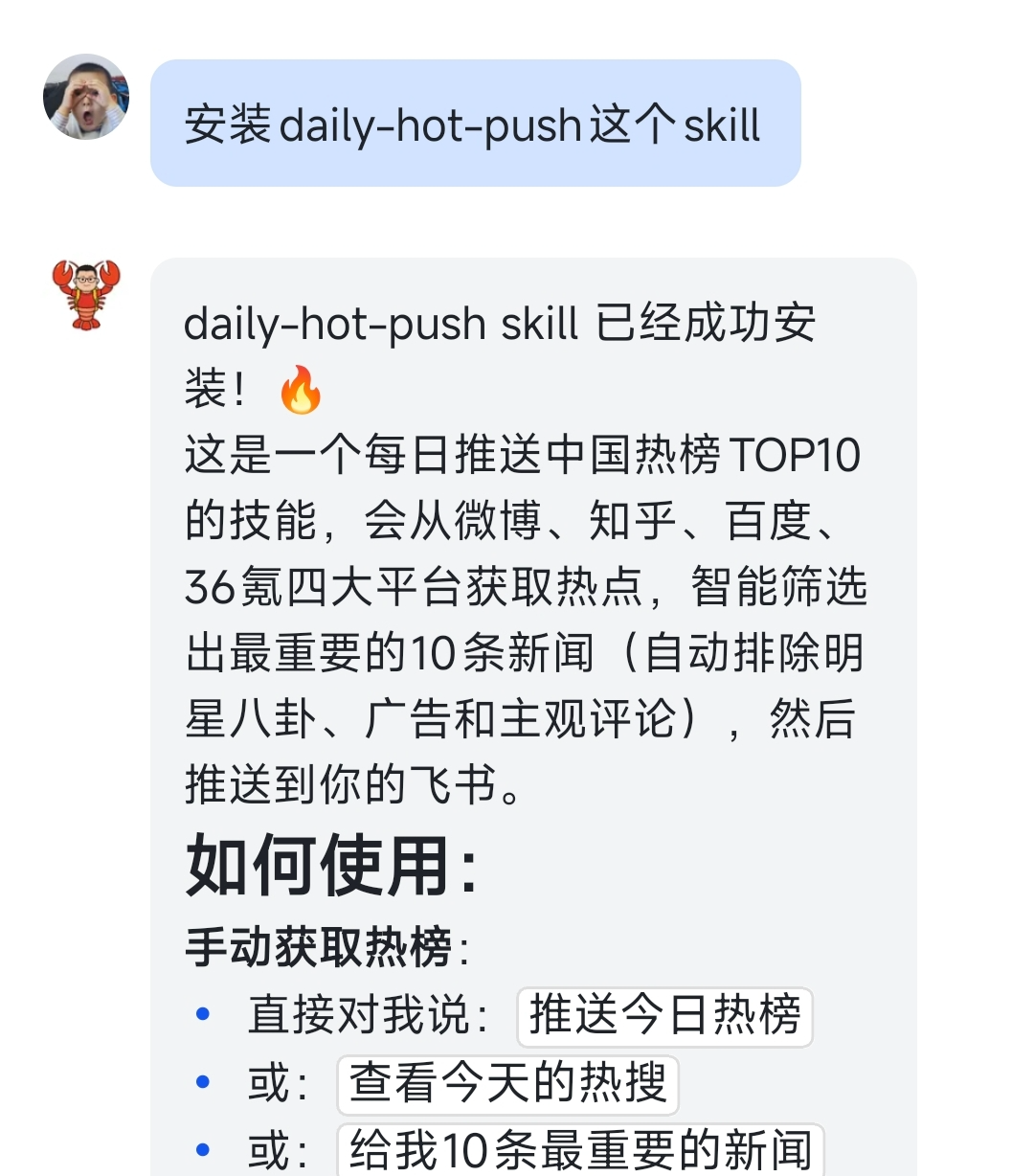
  • 可以直接对话里安装SKILL。 IMG-THUMBNAIL

执行过程

sequenceDiagram
    autonumber
    title OpenClaw 消息处理时序图
    participant User
    participant Channel
    participant Gateway
    participant CommandQueue as Command Queue
    participant AgentRuntime as Agent Runtime (L1-L4)
    participant Model as Model (LLM)
    participant ToolExecutor as Tool Executor
    participant EventSubscriber as Event Subscriber
    participant Persistence as Persistence (JSONL)

    User->>Channel: 发送消息
    Channel->>Gateway: 转发消息
    Gateway->>CommandQueue: 消息入队 (collect/steer/followup)
    CommandQueue->>AgentRuntime: agent.wait() 触发执行
    Note over AgentRuntime: L1: runReplyAgent\nL2: runAgentTurnWithFallback\nL3: runEmbeddedPlAgent\nL4: runEmbeddedAttempt
    AgentRuntime->>Model: 构建 Prompt (上下文+技能)
    Model->>AgentRuntime: 返回决策 (文本/工具调用)

    alt 直接回复
        AgentRuntime->>EventSubscriber: 流式事件 (assistant)
        Note over AgentRuntime: buildReplyPayloads()
        EventSubscriber->>User: 返回最终回复
    else 工具调用
        AgentRuntime->>ToolExecutor: 执行工具
        ToolExecutor->>AgentRuntime: 返回工具结果
        AgentRuntime->>Model: 注入结果, 再次推理
        Model->>AgentRuntime: 返回最终文本
        AgentRuntime->>EventSubscriber: 流式事件 (assistant)
        Note over AgentRuntime: buildReplyPayloads()
        EventSubscriber->>User: 返回最终回复
    end

    AgentRuntime->>Persistence: 会话持久化 (.JSONL)
    Persistence->>AgentRuntime: 持久化完成

OpenClaw也是用Reasoning and Acting(推理与行动)模式。

计算执行方式activeRunQueueAction

判断条件 activeRunQueueAction  
当前无活跃运行? run-now typingSignals打字信号
心跳消息 drop  
应该后续执行 OR messages.queue “steer” enqueue-followup messages.queue默认是collect
默认 run-now  

LLM交互案例

INPUT

SYSTEM

SYSTEM 系统角色 / System Prompt,AI 的 “身份说明书” 和 “行为准则”,由开发者设定,是整个对话的「总纲领」。 定义 AI 的角色、任务、回答风格、约束条件(比如 “你是一个专业的天气助手,只回答北京的天气问题,用口语化表达”)。

  • 给模型设定上下文背景、规则、格式要求,全程约束模型的输出。
  • 只在对话开头出现一次(或少数几次),不会由用户输入。
You are a personal assistant running inside OpenClaw.
## Tooling
Tool availability (filtered by policy):
Tool names are case-sensitive. Call tools exactly as listed.
- read: Read file contents
- write: Create or overwrite files
- edit: Make precise edits to files
- exec: Run shell commands (pty available for TTY-required CLIs)
- web_search: Search the web
- web_fetch: Fetch and extract readable content from a URL

HUMAN&AI

  1. HUMAN。human(用户角色 / Human Message),真实用户的提问 / 输入,代表用户的需求、问题、补充信息,是模型需要响应的核心输入。
    ou_aaaaaa: 明天北京需要带伞吗?
    
  2. AI。AI 角色 / Assistant MessageAI 模型自己的历史回复,也就是上一轮对话的 Output。
    • 保存对话历史,让模型理解上下文,实现多轮对话的连贯性。
    • 比如用户追问 “那后天呢?”,模型需要通过 ai 角色的历史回复,知道上一轮已经回答了明天的天气,才能承接上下文。
      read{"path":"/data/.openclaw/workspace/skills/weather/SKILL.md"}
      
  3. HUMAN
    ---
    name: weather
    description: Get current weather and forecasts (no API key required).
    homepage: https://wttr.in/:help
    metadata: {"clawdbot":{"emoji":"🌤️","requires":{"bins":["curl"]}}}
    ---
    # Weather
    Two free services, no API keys needed.
    ## wttr.in (primary)
    Quick one-liner:
    curl -s "wttr.in/London?format=3"
    # Output: London: ⛅️ +8°C
    
  4. AI
    exec{"command":"curl -s \"https://api.open-meteo.com/v1/forecast?latitude=39.9042&longitude=116.4074&daily=precipitation_sum&timezone=Asia%2FShanghai\""}
    
  5. HUMAN
    {"latitude":39.875,"longitude":116.375,"generationtime_ms":0.042319297790527344,"utc_offset_seconds":28800,"timezone":"Asia/Shanghai","timezone_abbreviation":"GMT+8","elevation":47.0,"daily_units":{"time":"iso8601","precipitation_sum":"mm"},"daily":{"time":["2026-03-31","2026-04-01","2026-04-02","2026-04-03","2026-04-04","2026-04-05","2026-04-06"],"precipitation_sum":[1.00,0.00,0.00,0.30,1.50,0.00,0.00]}}
    

OUTPUT(输出)

明天北京不需要带伞☀️  
降水量:0.0 mm(干燥)  
可放心出门! 🌤️
  • 定义:这是 AI 模型返回的最终响应结果。这一轮它最后吐出的那一条 AI 回复;
  • 内容:就是模型给用户的自然语言回答或结构化数据。

HEARTBEAT

CLI

openclaw system event --text "手动触发心跳" --mode now # 手动执行
openclaw system heartbeat last # 查询上一次执行结果
{
    "ts": 1774963724609,
    "status": "ok-token",
    "reason": "interval",
    "durationMs": 157974,
    "channel": "feishu",
    "silent": true,
    "indicatorType": "ok"
}

重点关注statusreason字段。

开启心跳

"heartbeat": {
    "every": "30m",
    "target": "feishu",
    "to": "chat:${FEISHU_CHAT_ID}" 
}
// 完整配置
{
    "agents": {
        "defaults": {
            "heartbeat": {
                "every": "30m",              // 触发间隔
                "target": "feishu",          // 发送通道
                "to": "chat:oc_xxx",         // 发送目标 ID
                "prompt": "自定义提示词",     // 可选:自定义提示词
                "model": "特定模型",          // 可选:专用模型
                "accountId": "账号ID",        // 可选:指定账号
                "isolatedSession": true,      // 可选:独立会话
                "lightContext": true,         // 可选:轻量上下文
                "includeReasoning": true,     // 可选:包含思考
                "ackMaxChars": 300,           // 可选:确认字符限制
                "directPolicy": "block"       // 可选:私聊策略
            }
        }
    }
}

流程图


graph TB
    subgraph "一、触发时机"
        A1[定时触发<br/>heartbeat.every: 30m]
        A2[手动触发<br/>requestHeartbeatNow]
        A3[事件触发<br/>exec-event/cron-event/wake]
        A1 --> A4[requestHeartbeatNow]
        A2 --> A4
        A3 --> A4
        A4 --> A5[queuePendingWakeReason]
        A5 --> A6[schedule定时器]
    end

    subgraph "二、执行主流程"
        B1[入口: runHeartbeatOnce]
        B2[前置检查<br/>- 全局启用<br/>- 代理启用<br/>- 间隔配置<br/>- 活跃时间<br/>- 队列空闲]
        B3[预飞行检查<br/>resolveHeartbeatPreflight]
        B4[解析发送目标<br/>resolveHeartbeatDeliveryTarget]
        B5[解析提示词<br/>resolveHeartbeatRunPrompt]
        B6[调用LLM<br/>getReplyFromConfig]
        B7[处理LLM回复]
        B8[发送结果]
        B9[清理和收尾]

        B1 --> B2
        B2 --> B3
        B3 --> B4
        B4 --> B5
        B5 --> B6
        B6 --> B7
        B7 --> B8
        B8 --> B9
    end

    subgraph "三、HEARTBEAT.md处理"
        C1[文件位置<br/>workspaceDir/HEARTBEAT.md]
        C2[预飞行读取<br/>检查是否有效为空]
        C3{有效为空?}
        C4[是: skipReason=empty-heartbeat-file]
        C5[否: 继续执行]
        C6[提示词引用<br/>Read HEARTBEAT.md]
        C7[LLM读取并处理]
        
        C1 --> C2
        C2 --> C3
        C3 -->|是| C4
        C3 -->|否| C5
        C5 --> C6
        C6 --> C7
    end

    subgraph "B3 预飞行检查详情"
        D1[解析会话信息]
        D2[检查系统事件队列]
        D3[读取HEARTBEAT.md]
        D4[判断触发原因类型]
        
        D1 --> D2
        D2 --> D3
        D3 --> D4
    end

    subgraph "B6 调用LLM详情"
        E1[构建请求上下文]
        E2[Body: 提示词+时间线]
        E3[OriginatingChannel/To]
        E4[Provider: heartbeat]
        E5[执行智能体调用]
        E6[获取回复结果]
        
        E1 --> E2
        E1 --> E3
        E1 --> E4
        E2 --> E5
        E3 --> E5
        E4 --> E5
        E5 --> E6
    end

    subgraph "B7 处理LLM回复详情"
        F1[解析回复负载]
        F2[标准化回复<br/>移除HEARTBEAT_TOKEN]
        F3{需要跳过?}
        F4[仅HEARTBEAT_OK → 跳过]
        F5[内容为空且无媒体 → 跳过]
        F6[24小时重复 → 跳过]
        F7[继续发送]
        
        F1 --> F2
        F2 --> F3
        F3 -->|是| F4
        F3 -->|是| F5
        F3 -->|是| F6
        F3 -->|否| F7
    end

    %% 连接关系
    A6 --> B1
    B3 --> D1
    D3 --> C1
    B6 --> E1
    B7 --> F1
    C5 --> B5

发送结果

status reason result
skipped disabled 心跳功能已禁用
skipped quiet-hours 当前处于非活跃时间段
skipped requests-in-flight 请求队列忙碌,跳过本次心跳
skipped empty-heartbeat-file HEARTBEAT.md 文件内容为空
skipped no-target 未配置心跳发送目标
skipped unknown-account 目标账号不存在
skipped dm-blocked 私聊被对方阻止
skipped alerts-disabled 警报功能已禁用
skipped duplicate 心跳内容重复,跳过发送
skipped not-due 未到下一次心跳执行时间
ok-empty - 执行成功,但无回复内容
ok-token - 执行成功,返回 HEARTBEAT_OK 标识
sent - 心跳消息发送成功
failed - 心跳消息发送失败

交互案例

与SKILL区别不大,提示词如下:

Read HEARTBEAT.md if it exists (workspace context). Follow it strictly. Do not infer or repeat old tasks from prior chats. If nothing needs attention, reply HEARTBEAT_OK.
When reading HEARTBEAT.md, use workspace file /data/.openclaw/workspace/HEARTBEAT.md (exact case). Do not read docs/heartbeat.md.
Current time: Tuesday, March 31st, 2026 — 04:15 (UTC) / 2026-03-31 04:15 UTC


原文链接: OpenClaw原理梳理:模型选择、Skill、Heartbeat ,转载请注明来源!

EOF